








Hermes One Quick Start Guide using OpenRouter Free Models & Telegram Integration
Hermes One 快速設定指南:OpenRouter 免費模型 + Telegram 串接
1.Download Hermes One. 下載 Hermes One
https://github.com/fathah/hermes-desktop
Or
https://hermesagents.cc/
前往 GitHub 下載:https://github.com/fathah/hermes-desktop
或使用官網連結:https://hermesagents.cc/
2.Set Up Hermes One. 安裝 Hermes One
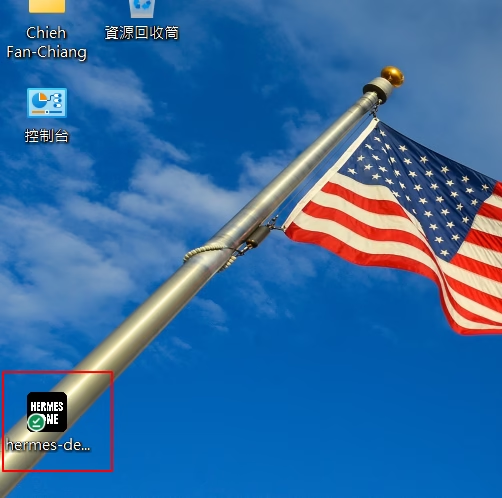
Double-click Setup.exe on your desktop.
Or
for Linux / macOS / WSL2 / Android (Termux):
curl -fsSL https://hermes-agent.nousresearch.com/install.sh | bash
For Windows (native), run in PowerShell:
iex (irm https://hermes-agent.nousresearch.com/install.ps1)
Windows 用戶:直接在桌面上雙擊 Setup.exe 即可。
Linux / macOS / WSL2 / Android (Termux) 用戶,請輸入:
curl -fsSL https://hermes-agent.nousresearch.com/install.sh | bash
Windows (原生) 用戶**,請在 PowerShell 執行:
iex (irm https://hermes-agent.nousresearch.com/install.ps1)
3.Everything is Automatically Installed! 全自動安裝,超級簡單!
It’s easy to set up Hermes Agents.
Hermes One will install all Hermes Agents,
the Telegram gateway, and every module you need.
設定 Hermes Agents 就是這麼簡單。
Hermes One 會自動幫你裝好所有的 Hermes 代理程式(Agents)、Telegram 網關,以及所有你會用到的模組。
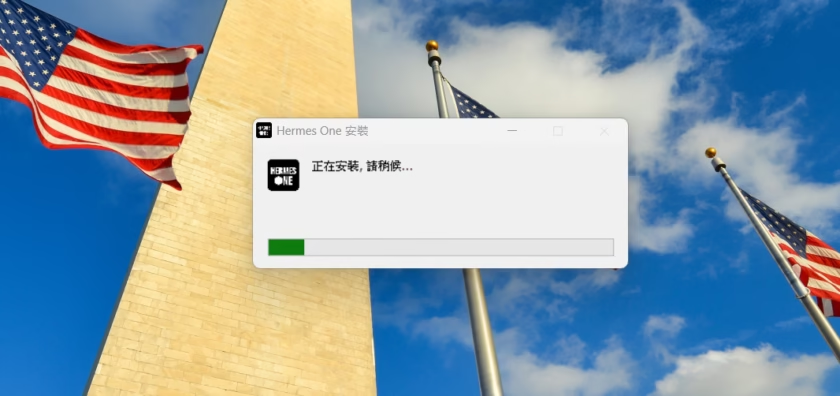
4.Hermes One is Ready. Hermes One 準備就緒
Wait for the setup to finish,
等安裝跑完後,
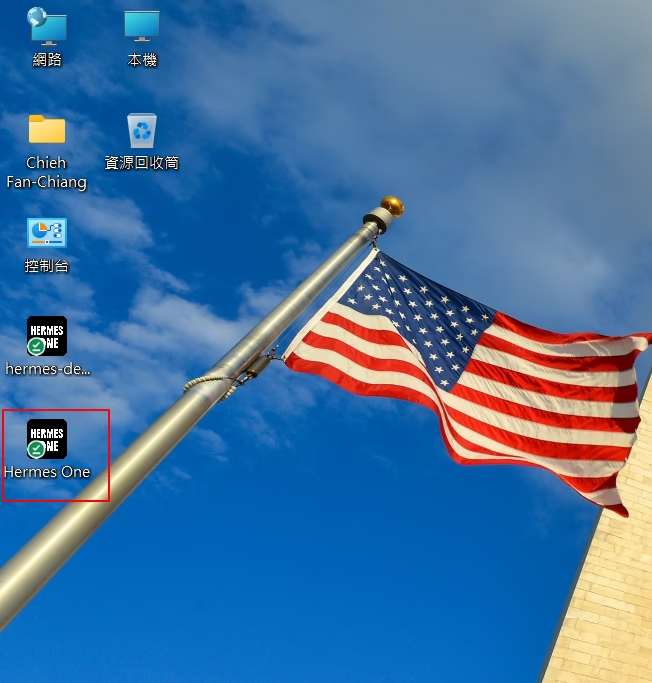
then click the Hermes One icon. You will see that Hermes One is ready.
點一下 Hermes One 的圖示。接著你就會看到 Hermes One 已經準備好上工囉!

5.Get the OpenRouter API Key. 取得 OpenRouter API 金鑰
Go to the official OpenRouter website to sign up: https://openrouter.ai/
到 OpenRouter 官網註冊帳號: https://openrouter.ai/

Once registered, you can get your API Key. Keep it in a secure place.
DO NOT SHARE IT WITH ANYONE.
註冊好之後,你就能拿到你的 API 金鑰了。請把它存放在安全的地方。
絕對不要把這串金鑰分享給任何人喔!

6.Paste the OpenRouter API Key into Hermes One. 把 OpenRouter API 金鑰貼到 Hermes One
Open Hermes One, select the “Providers” tab,
and paste the OpenRouter API key you obtained earlier.
Then we can move to the next step.
打開 Hermes One,點選「Providers」(供應商)分頁,
把你剛剛拿到的 OpenRouter API 金鑰貼上去。
搞定後我們就可以進行下一步啦。

7.Configure the OpenRouter Free Model. 設定 OpenRouter 的免費模型
Visit https://openrouter.ai/openrouter/free and copy the model name.
Then,
go back to the “Providers” tab in Hermes One.
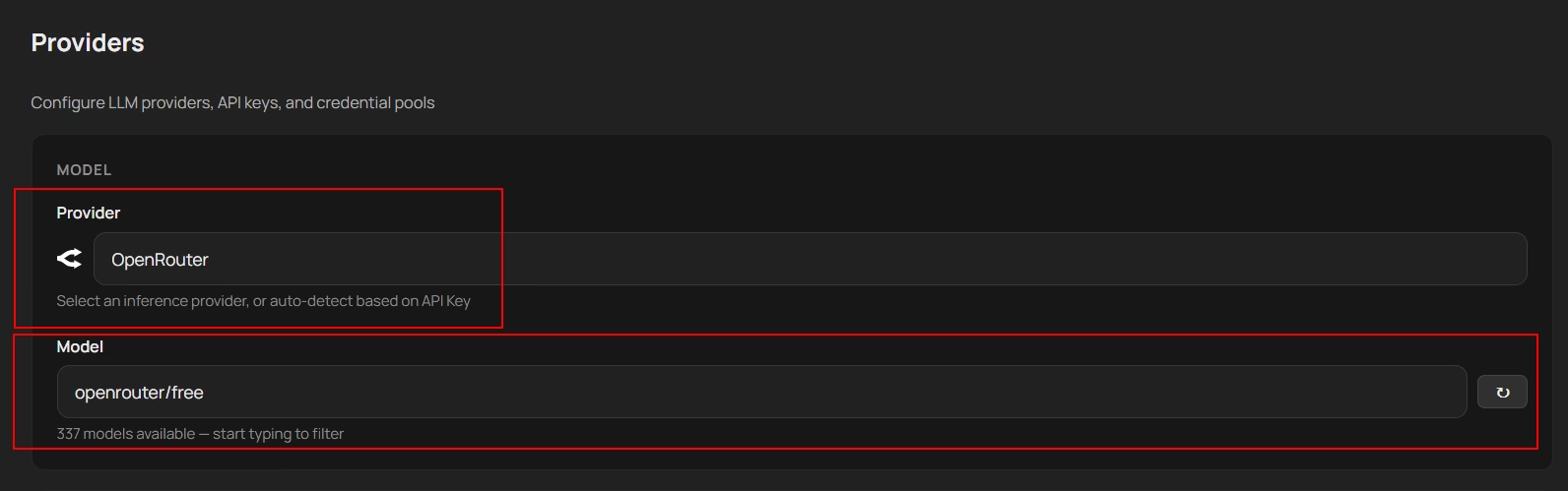
Set the “Provider” to OpenRouter,
and paste the free model name into the “Model” field.
前往這個網頁:https://openrouter.ai/openrouter/free ,
把模型的名稱複製下來。
然後回到 Hermes One 的「Providers」分頁。
把「Provider」設定成 OpenRouter,接著把你剛剛複製的免費模型名稱,貼到「Model」欄位裡。
8.Say OK. 測試一下:說聲 OK
Go to the “Chat” tab and select the “free” model.
Then, type “Say OK” in the dialog box.
If the window shows “OK”,
congratulations!
We made it.
切換到「Chat」(聊天)分頁,然後選擇那個「free」的模型。
接著在對話框裡輸入:「Say OK」。
如果視窗裡回覆了「OK」,
恭喜你!我們成功啦!

9.Create a Telegram Bot. 建立一個 Telegram 機器人 (Bot)
Download and sign up for Telegram.
Search for “@BotFather” and select it (it has a blue checkmark).
Type “/newbot” in the chat.
Next,
choose a unique username for your bot.
Important: It must end in bot. (e.g., HermesOneTest_bot or MyHermesBot).
下載並註冊好 Telegram。
在搜尋欄找 @BotFather 並點擊它(注意要選有藍色勾勾官方認證的那個喔)。
在對話框裡輸入 /newbot。
接著,幫你的機器人取一個獨一無二的 username(使用者名稱)。
注意: 名字的結尾一定要有 bot 喔!(例如:HermesOneTest_bot 或 MyHermesBot)。
Once the username is accepted,
BotFather will send you a congratulatory message containing your HTTP API Token.
It will look something like this:
1234567890:AAHdqTcvCH1vGWJxfSeofSAs0K5PALDs14
Copy this Token. Treat it like a password and do not share it publicly!
一旦名字設定成功,BotFather 會傳一段恭喜你的訊息,裡面會包含你的 HTTP API Token。
(長得大概像這樣:1234567890:AAHdqTcvCH1vGWJxfSeofSAs0K5PALDs14)
把這串 Token 複製起來。
把它當作密碼一樣,千萬別公開分享!

10.Connect to Hermes One. 將機器人連上 Hermes One
Go back to your Hermes One application.
Find the Telegram integration/gateway settings.
Paste the API Token you just copied to link your new bot to Hermes One!
回到你的 Hermes One 程式。
找到 Telegram integration/gateway(Telegram 串接/網關)的設定地方。
把你剛剛複製的 API Token 貼上去,就能把你的新機器人跟 Hermes One 連在一起囉!

11. Find Your Telegram User ID.
Search for @userinfobot or @getidsbot in Telegram.
Send a random message to get your User ID (e.g., 920554027).
IMPORTANT: IT’S NOT YOUR USERNAME, IT’S YOUR USER ID.
在 Telegram 裡搜尋 @userinfobot 或是 @getidsbot。
隨便傳個訊息給它,它就會回傳一串數字給你,
那就是你的 User ID(例如:920554027)。
超重要:這是你的一串「數字 ID」,不是你的使用者名稱喔!
12. Test the Connection.
Click the “Test” button.
You will see the message “Telegram is connected.”
Now, you can open Telegram and send the message “Say OK” to the bot.
If it replies “OK”, congratulations! We made it.
點一下「Test」(測試)按鈕。
你會看到一條「Telegram is connected.」(Telegram 已連線)的訊息。
現在,
你可以打開 Telegram,傳送一句「Say OK」給你的機器人了。
如果它回你「OK」…
恭喜老爺賀喜夫人!大功告成啦!

#HermesOne教學 #HermesAgents安裝 #OpenRouter免費模型 #OpenRouterAPI申請 #TelegramBot串接 #Telegram機器人設定 #BotFather教學 #多智能體協作 #AIAgent自動化 #免費LLMAPI

Torn between two Russell Group universities for engineering and this helped me think through rankings versus actual course content, which matters a lot more than I originally expected.